Here's what landed in BotFriday in March.
Automation Rules
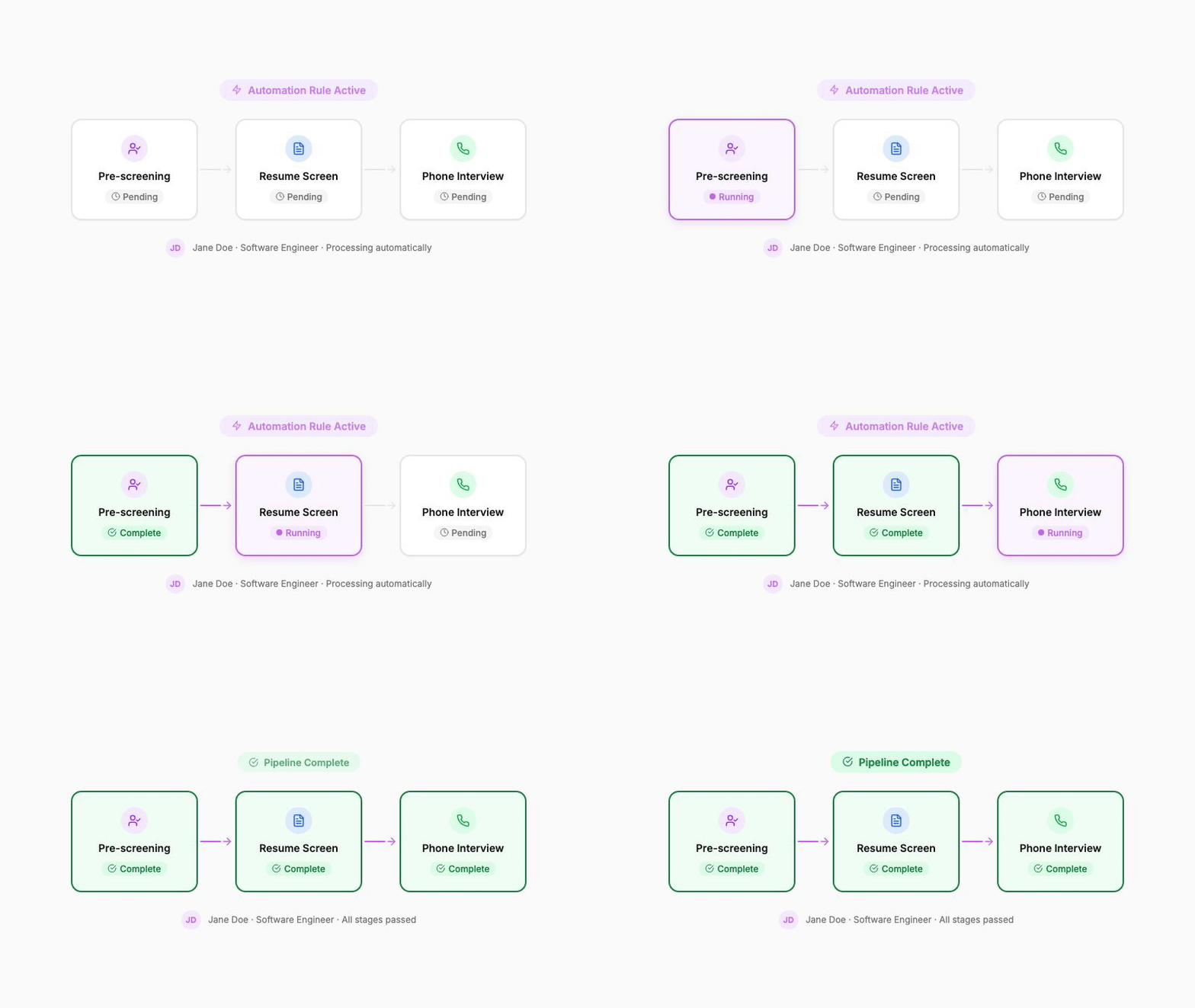
This is the feature we're most excited about this month. BotFriday now supports automation rules, configurable triggers that fire when something happens in your pipeline and automatically take action.
You define the trigger (a candidate completes screening, reaches a certain score, moves to a pipeline stage), map the fields that should carry over, and choose the action (queue the candidate for the next agent, update their status, push them to the next stage in your ATS). BotFriday handles the rest.
Combined with agent-to-agent funneling, this means you can now build an end-to-end hiring pipeline that runs without manual intervention. Pre-screening filters candidates, LEX scores their resumes, high-scorers get funnelled to VOX for a phone screen, and results flow to the right stage, all automatically.
How to use it: Go to the Jobs section, open a job, and switch to the "Automation" tab. Add a rule, configure your trigger and action, map your fields, and save. Rules take effect immediately.
Drag-and-Drop Field Ordering
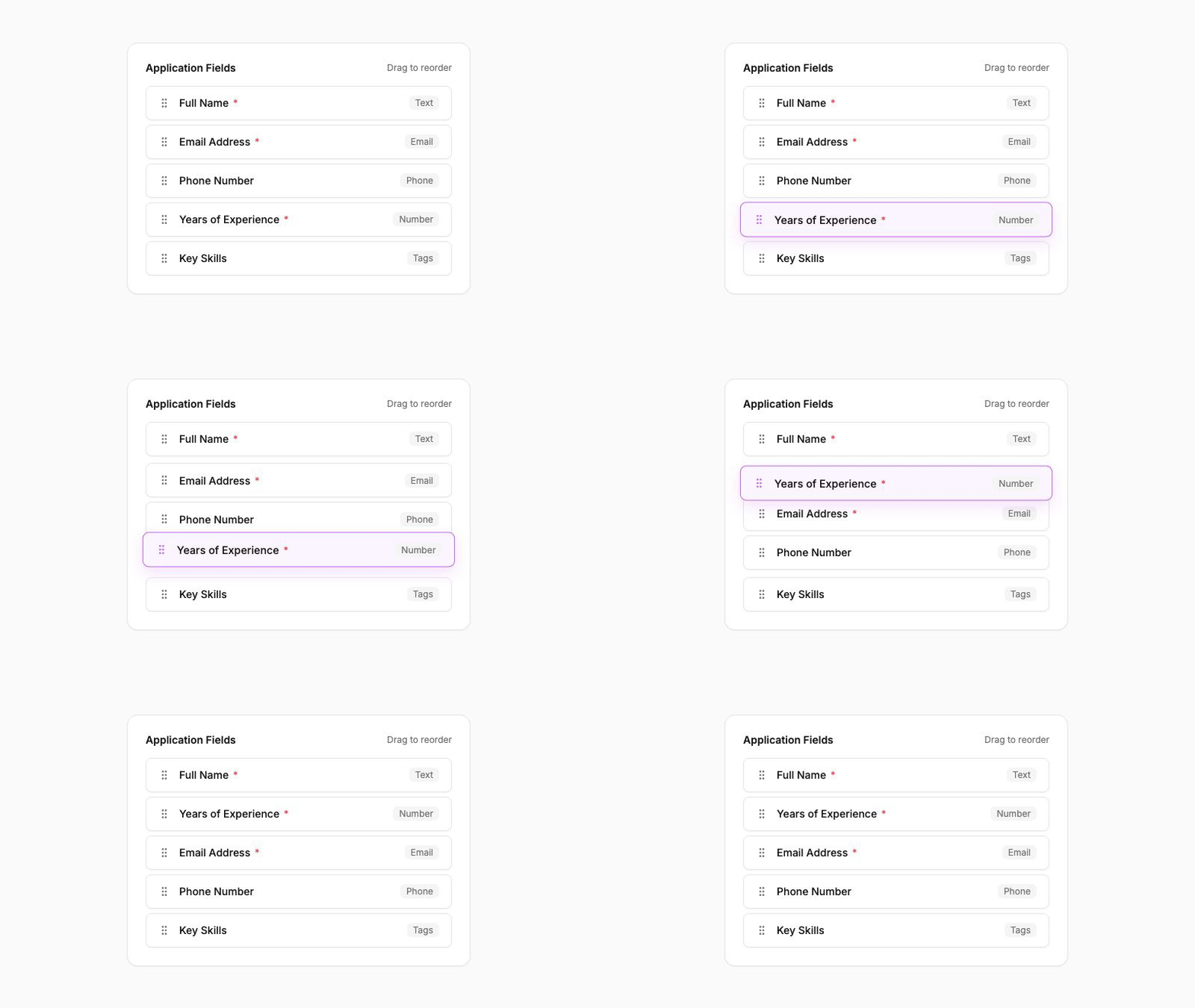
When you configure the fields that candidates fill out (whether for pre-screening forms or job applications), you can now reorder them by dragging. This is a small UI improvement that makes a big difference when you're building forms with many fields.
Previously you had to delete and re-add fields to change the order. Now just grab a field and move it where you want it.
How to use it: Open an agent or job configuration, go to the fields section, and drag fields into your preferred order.
Calendar Meeting Invites from VOX
When VOX confirms an interview time with a candidate, it can now send a calendar meeting invite along with the confirmation email. The invite includes the date, time, and a link. Everything the candidate needs to add the interview to their calendar with one click.
This reduces no-shows. Candidates are more likely to remember and show up for an interview that's sitting on their calendar than one buried in an email thread.
How to use it: This is enabled by default for new VOX agents. For existing agents, check the agent configuration to ensure meeting invites are turned on.
Smarter Email Intelligence
We've rewritten the email intelligence layer that powers VOX's scheduling conversations. The AI is now better at understanding candidate replies that are ambiguous, off-topic, or spread across long email chains.
Specifically:
- Goal-based triaging: The system now evaluates each email against the current stage of the conversation (are we negotiating times? confirming? rescheduling?) and routes the response accordingly, rather than trying to interpret every reply the same way.
- Long chain handling: Candidates who reply to old threads or forward emails with long histories no longer confuse the parser. The system extracts the latest reply cleanly.
- Edge case prompts: The prompts driving the AI have been tuned based on real-world failures from the past quarter. Ambiguous replies that previously got stuck now resolve correctly.
You won't see a button for this. It just works. But you should notice fewer scheduling conversations getting stuck or requiring manual intervention.
Duplicate Agents in One Click
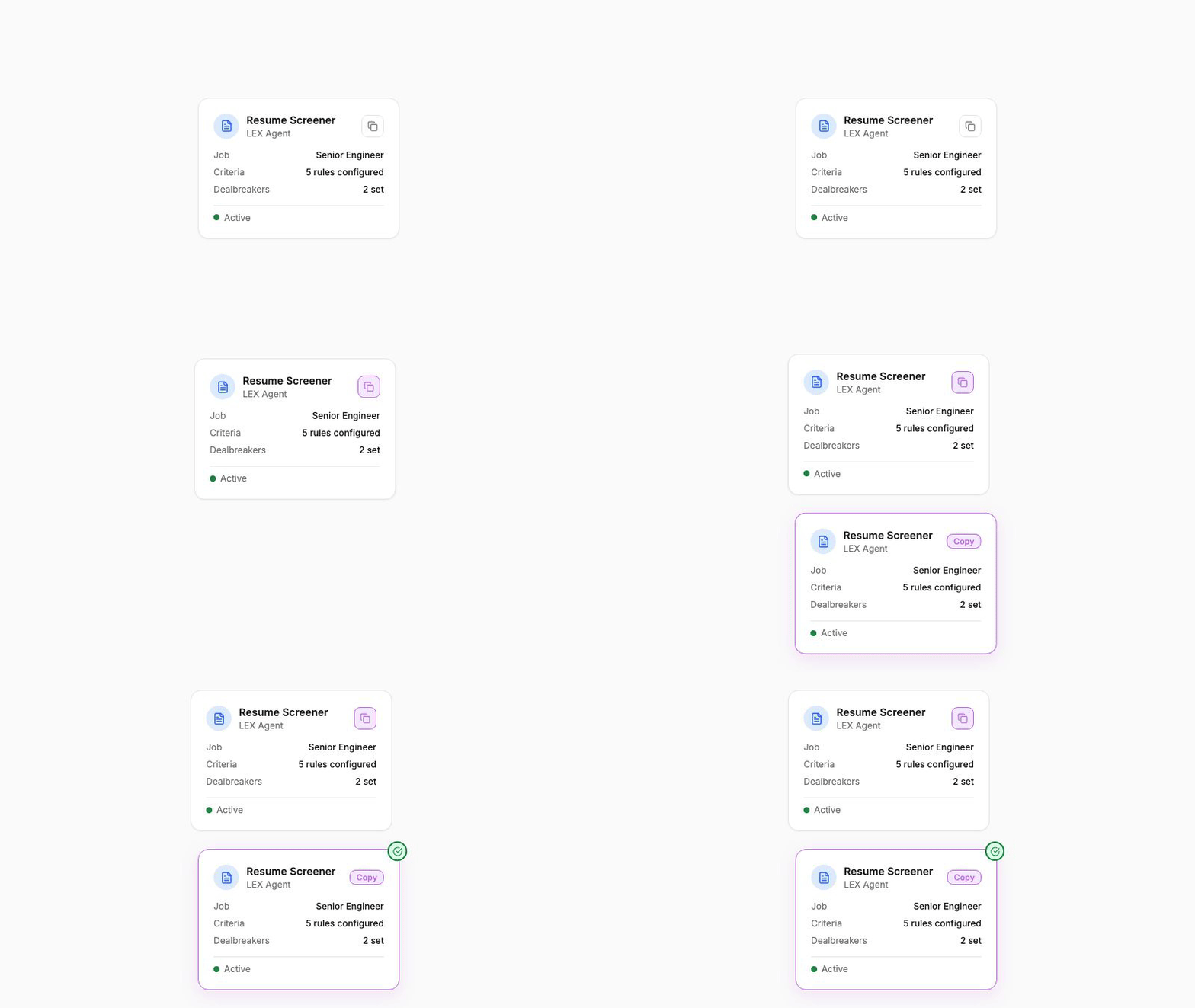
Setting up a new agent that's almost identical to an existing one? Instead of recreating it from scratch, you can now duplicate any agent with one click. The duplicate copies all configuration (fields, rules, prompts, voice settings) and gives you a fresh instance to customize.
This is especially useful when you're hiring for similar roles across different teams or locations and want slightly different configurations for each.
How to use it: From the Agents page, click the more-actions menu on any agent and select "Duplicate".
These updates are live for all BotFriday accounts. If you have questions or want a walkthrough, book a quick demo with our team.