Here's what landed in BotFriday in January.
Introducing the Pre-Screening Agent
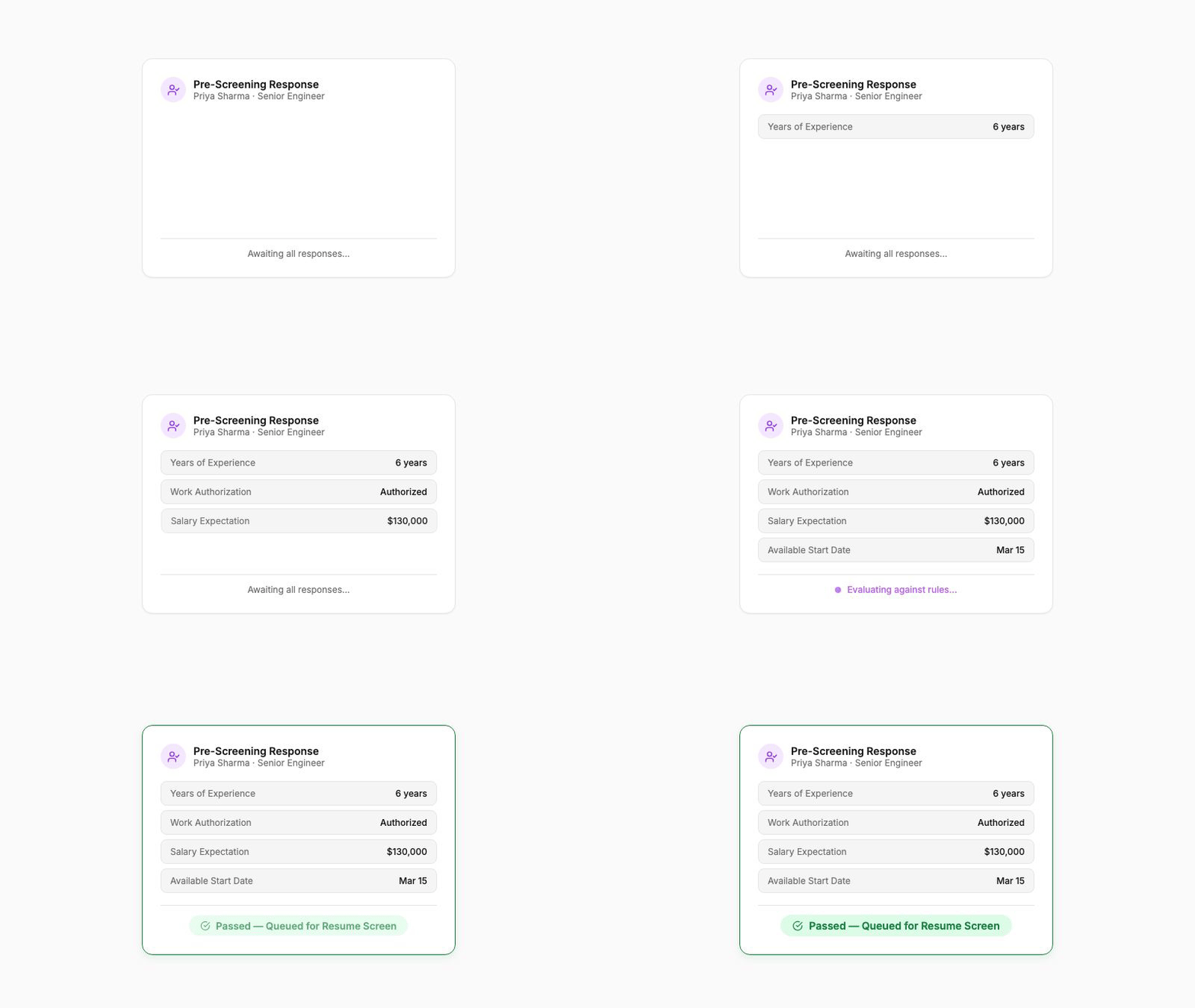
This is a big one. BotFriday now has a third agent type: the Pre-Screening Agent.
Pre-screening sits at the very top of your hiring funnel. It collects structured responses from candidates (qualifications, availability, visa status, salary expectations, whatever you need to know before investing time in a full screen) and evaluates them against rules you define.
You configure the fields candidates fill out, write the rules that determine pass or fail, and the agent handles the rest. Candidates who meet your criteria move forward automatically. Those who don't are filtered out before a recruiter ever sees them.
This is especially powerful for high-volume roles where you're getting hundreds of applications and need to narrow the field before LEX or VOX get involved.
How to use it: Create a new agent and select "Pre-Screening" as the type. Define your fields (text, email, file uploads, dropdowns), write your evaluation rules in the rule editor, and you're live.
Shareable Job Application Links
Every job in BotFriday can now generate a shareable application link. Send the link to candidates directly, whether by email, WhatsApp, or your careers page, and they'll land on a branded form where they can submit their details and resume.
Submissions flow straight into your BotFriday pipeline and get picked up by whichever agent you've configured for that job. No manual data entry, no copy-pasting between tools.
You can also create single-use links that expire after one submission, which is useful for referral-based hiring where you want to track exactly who applied through which channel.
How to use it: Open any job on the dashboard, click "Application Link", and copy the generated URL. Share it wherever you need. Submissions show up in your queue automatically.
Automatic Agent-to-Agent Funneling
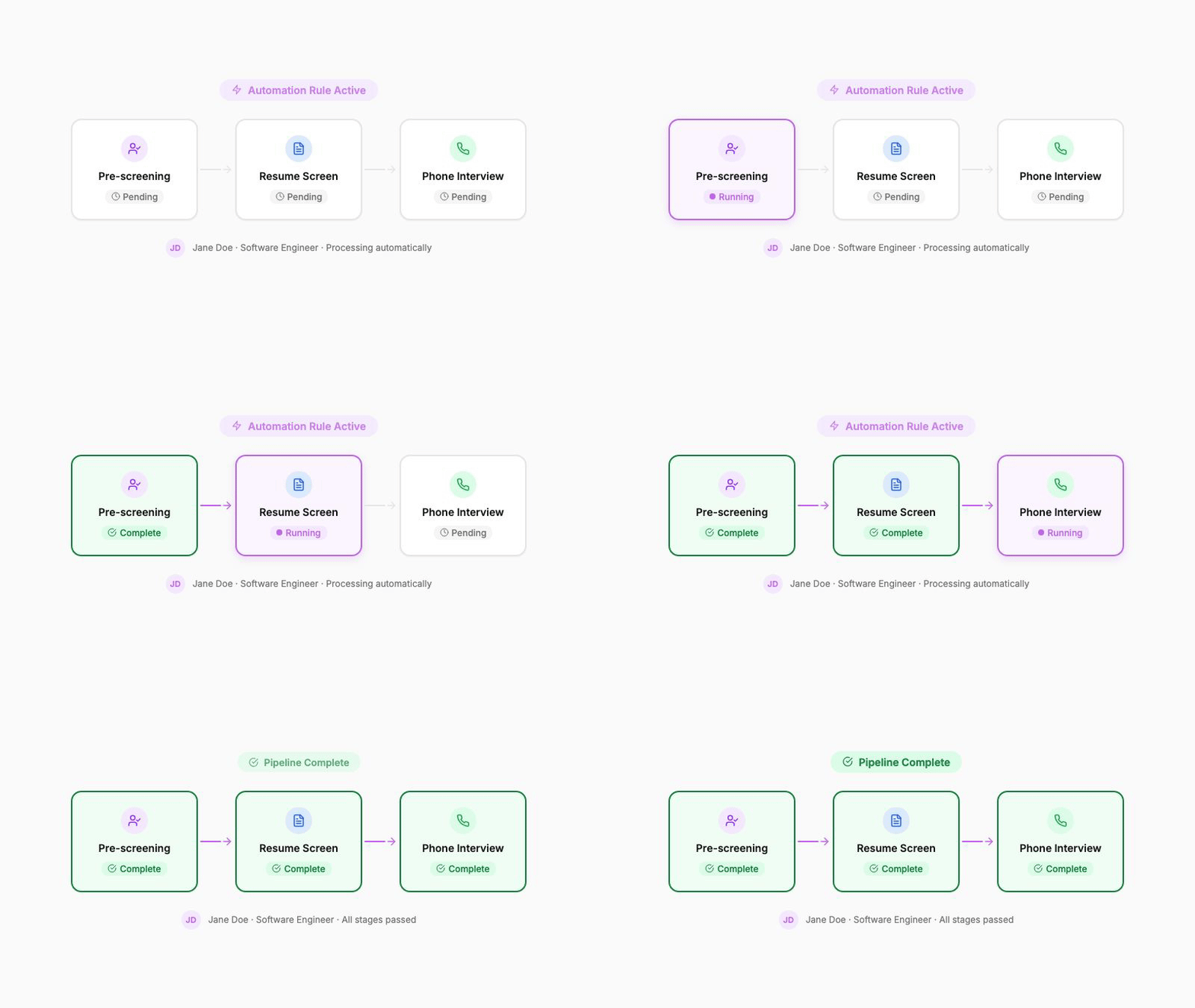
Here's where pre-screening gets really powerful. You can now configure agents to automatically funnel candidates from one agent to the next based on their results.
The most common setup: a Pre-Screening Agent collects initial responses, and candidates who pass are automatically queued for LEX (resume screening) or VOX (phone interview), with no manual step in between.
This lets you build a multi-stage pipeline that runs itself. Pre-screening filters out unqualified candidates, LEX scores their resumes, and VOX interviews the top-ranked ones. Your recruiters only see the candidates who've already cleared every hurdle.
How to use it: When creating an agent, enable funneling and select the target agent. Candidates who pass the first agent's evaluation are automatically queued for the next one.
Company Branding on Candidate-Facing Forms
The job application forms that candidates see now display your company name, logo, and branding details. This gives candidates a professional, on-brand experience when they interact with your hiring pipeline, whether through application links or pre-screening forms.
Branding details are pulled from your company profile automatically. Just make sure your company details are filled in under Settings.
These updates are live for all BotFriday accounts. If you have questions or want a walkthrough, book a quick demo with our team.