Here's what landed in BotFriday in February.
Notification Centre
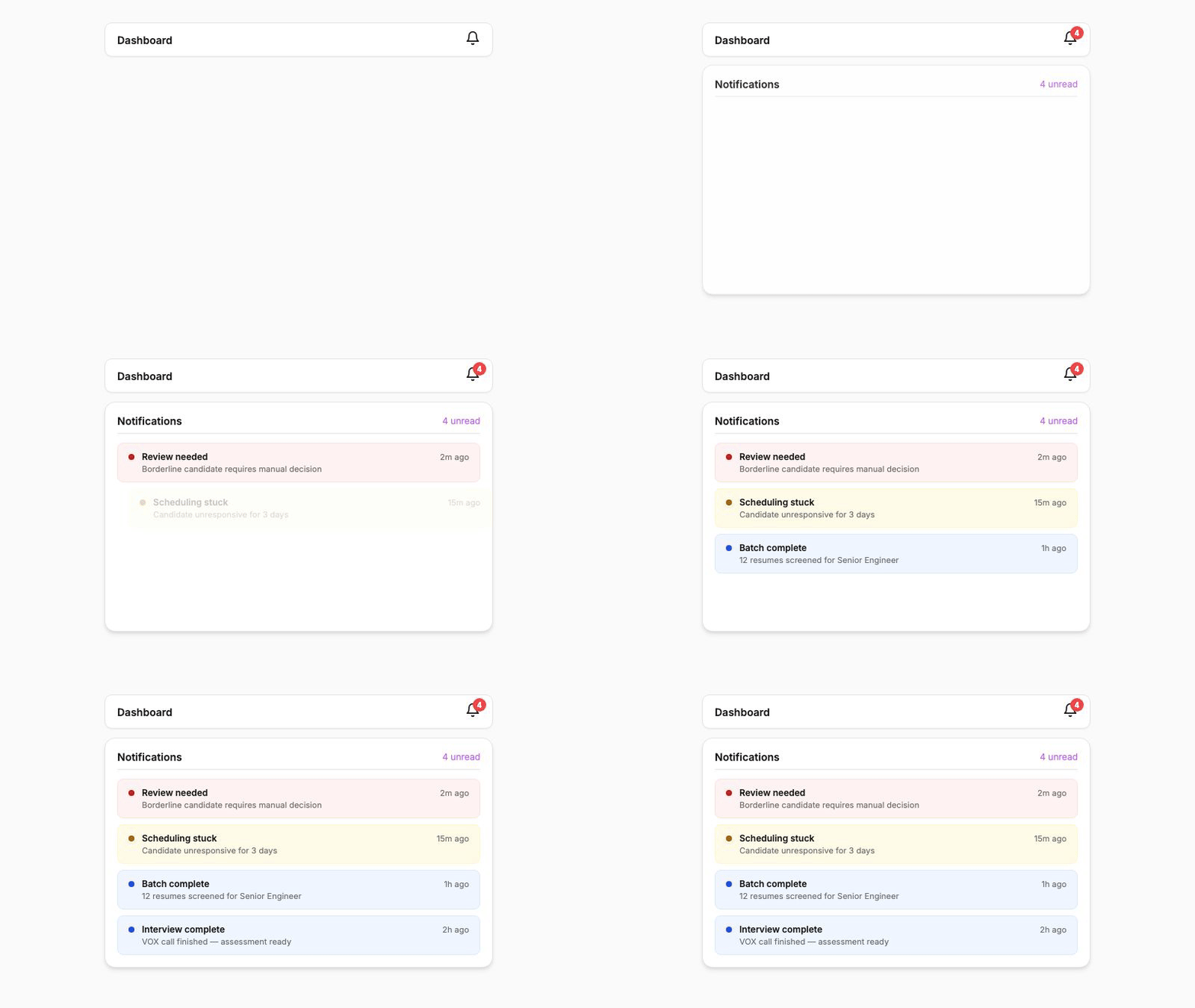
BotFriday now has a proper notification system. A notification drawer on the dashboard shows you everything that needs your attention: candidates who need a manual review, jobs that hit an issue, and agents that completed a batch. All in one place.
Notifications are grouped by severity so you can focus on what matters. Unread counts update in real time, and each notification type has its own filter so you can zero in on just the items you care about.
This replaces the old tray-style notifications, which were easy to miss and couldn't be filtered. The new drawer stays accessible from any page and gives you a clear picture of what's happening across all your jobs.
How to use it: Click the notification icon in the top bar. Use the severity filters to focus on critical items, or browse everything at once.
Human-in-the-Loop Reviews
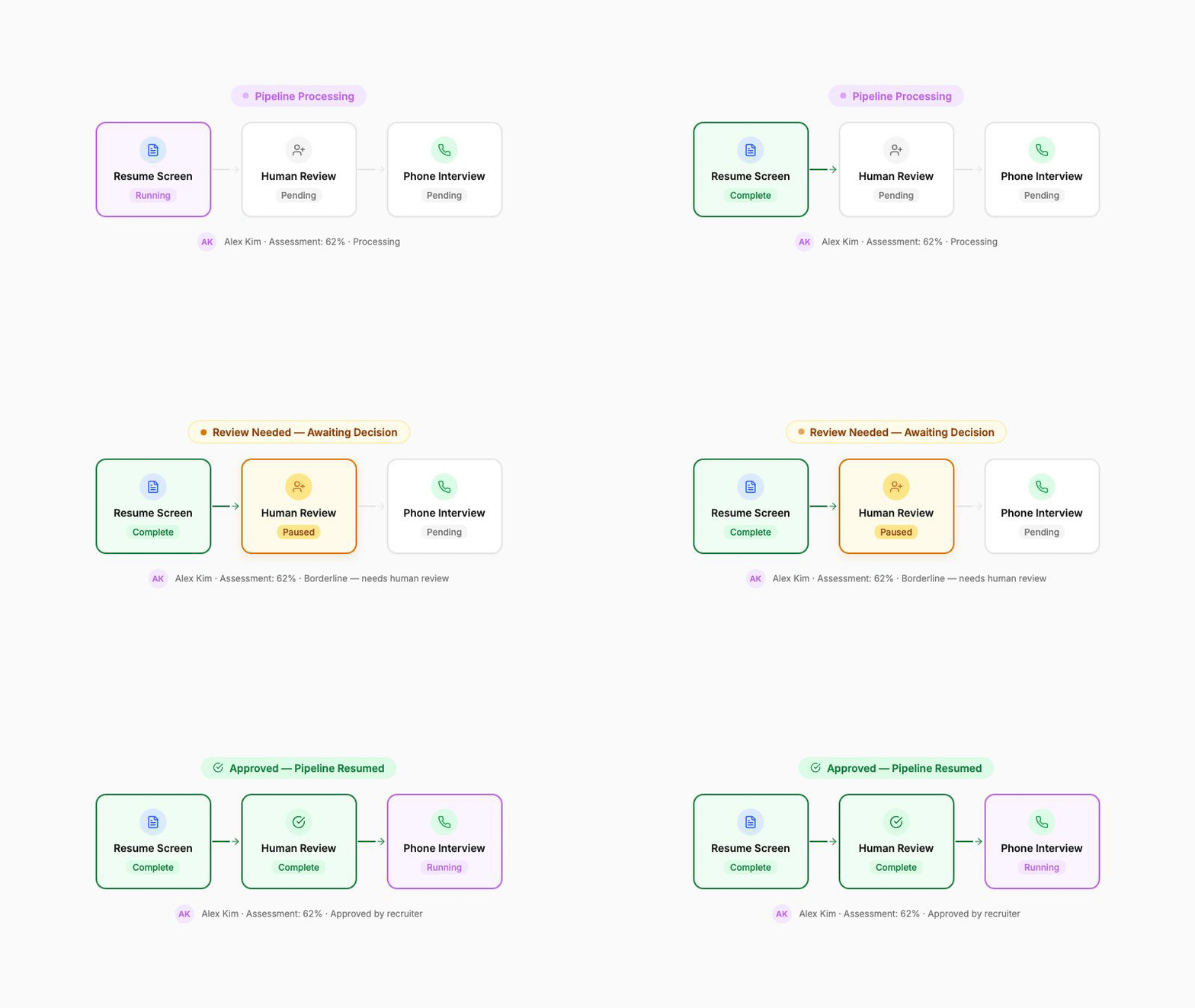
Not every hiring decision should be fully automated. Sometimes you want a human to make the final call, whether it's a borderline candidate, an unusual resume, or a tricky scheduling situation.
BotFriday now supports human-in-the-loop (HITL) checkpoints. When an agent hits a point that needs human judgement, it pauses, notifies the assigned team members, and waits for a decision before continuing.
From the dashboard, you'll see a banner highlighting items that are waiting for your review. Open the candidate detail, review the context, and take action: approve, reject, reschedule, or override the agent's recommendation. The pipeline picks up right where it left off.
How to use it: HITL checkpoints are triggered automatically based on your agent configuration. When a review is needed, you'll see it in the notification drawer and as a banner on the dashboard. Click into the item to take action.
Candidate Nudging
Candidates sometimes go quiet. Maybe they missed the scheduling email, or they saw it and forgot to respond. Instead of letting them fall through the cracks, BotFriday can now nudge them automatically.
Configure a nudge interval (say, 3 days), and if a candidate hasn't responded to a scheduling email, BotFriday sends a polite follow-up. You can also trigger a nudge manually from the dashboard for any candidate at any time.
This small addition makes a surprising difference in response rates. In our testing, automated nudges recovered roughly one in five unresponsive candidates.
How to use it: Set the nudge interval in your agent configuration (e.g., nudge after 3 days of no response). For manual nudges, open the candidate detail and click "Nudge Candidate".
Dashboard Date Range Filters
The dashboard queue now supports date range filtering. Pick a start and end date, and the view narrows to just the candidates who entered the pipeline during that window.
We built a custom date-time picker for this, so no more clunky browser-native date inputs. You can combine the date filter with existing filters like agent type and status for precise views into your pipeline.
How to use it: Click the date filter on the dashboard, set your range, and the queue updates instantly.
Job Requisition IDs
Every job in BotFriday now requires a unique requisition ID. This gives you a stable, human-readable identifier for each role that stays consistent across your pipeline, regardless of how the job title changes or which agents are assigned to it.
Requisition IDs are mandatory when creating a job, and BotFriday enforces uniqueness so there's no risk of collisions. You can also auto-generate them if you don't have your own numbering scheme.
How to use it: When creating a job, enter a requisition ID or click "Generate" to create one automatically. The ID appears throughout the dashboard and in exported reports.
These updates are live for all BotFriday accounts. If you have questions or want a walkthrough, book a quick demo with our team.